> ## Documentation Index
> Fetch the complete documentation index at: https://nightly-mint.classiq.io/llms.txt
> Use this file to discover all available pages before exploring further.
# Registration and Installation
To use the [platform](https://platform.classiq.io/) for free for non-commercial purposes, you must register. Then you can optionally use our coding studio (web-based IDE) or install the Python SDK package and authenticate your account. This page guides you through the steps.
## Registration
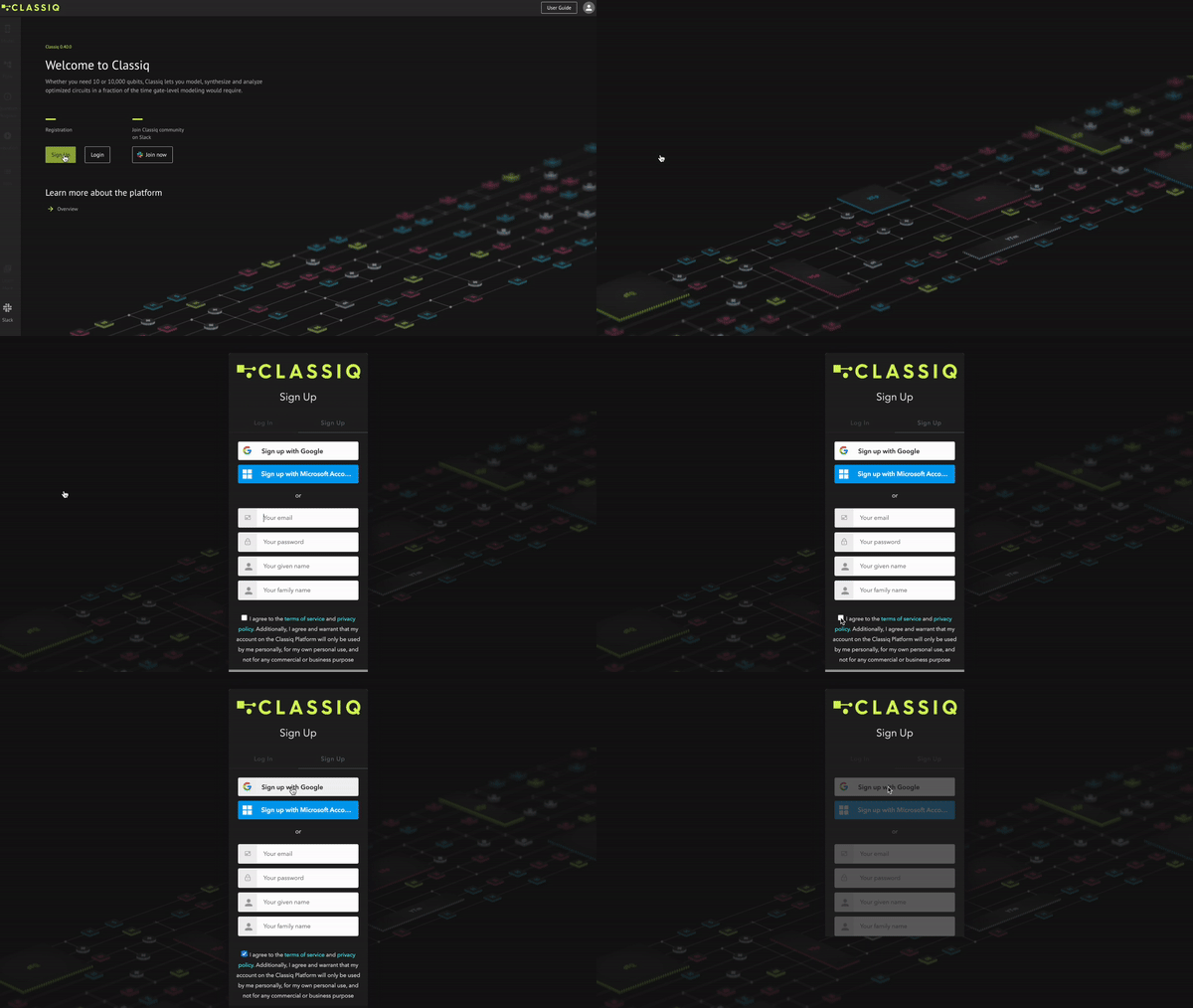
At [platform.classiq.io](https://platform.classiq.io/), click Sign Up. Approve the terms of use and register with your Google/Microsoft account or any other email:
 Fill in the requested information:
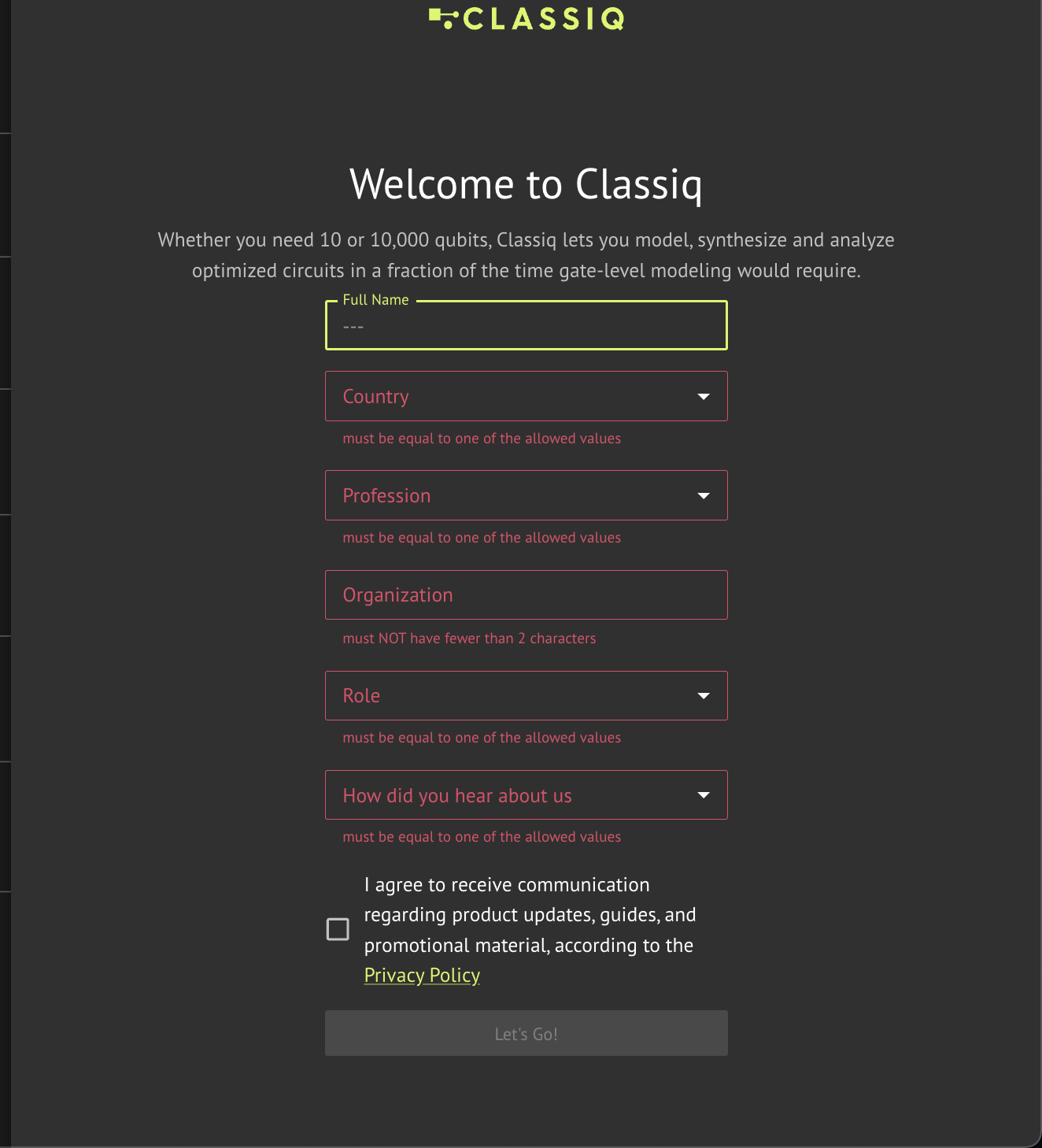 Upon completion, you will be directed to the platform's home page.
## Slack Registration
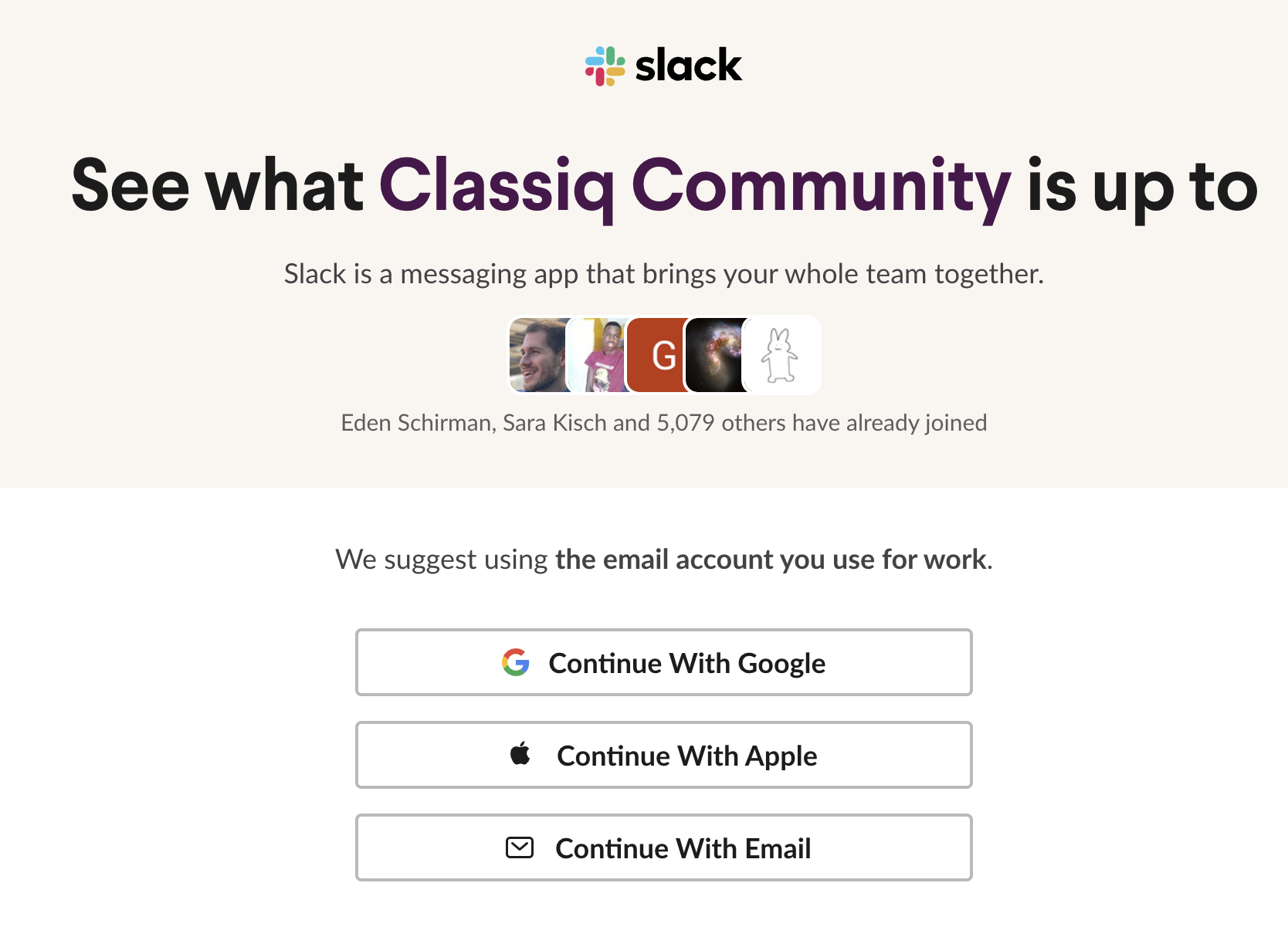
Classiq has a vibrant and active [Slack community](https://short.classiq.io/join-slack) that is helpful for technical questions and support, as well as for general quantum computing questions and discussions. To join, click [here](https://short.classiq.io/join-slack) and sign up to the Classiq Community Slack workspace with your Google/Apple account or a general email address:
Upon completion, you will be directed to the platform's home page.
## Slack Registration
Classiq has a vibrant and active [Slack community](https://short.classiq.io/join-slack) that is helpful for technical questions and support, as well as for general quantum computing questions and discussions. To join, click [here](https://short.classiq.io/join-slack) and sign up to the Classiq Community Slack workspace with your Google/Apple account or a general email address:
 ## Studio
The platform has a web-based code editor, that allows you to create and run Python code with a pre-set environment. You can access it through the [platform](https://platform.classiq.io/).
For more information check out our [Studio user guide](/user-guide/studio/index)
## Python SDK Installation
The platform has an accompanying Python SDK package that is integrated with the platform. **After registering to the platform**, install the SDK package using `pip`:
**NOTE** - The SDK is currently supported for Python versions `3.8` to `3.12`.
```bash theme={null}
pip install -U classiq
```
Run `pip install -U classiq` in your command line, or use `!pip install -U classiq` from your Python IDE.\
Make sure you are within the appropriate Python environment.
## Authentication
## Studio
The platform has a web-based code editor, that allows you to create and run Python code with a pre-set environment. You can access it through the [platform](https://platform.classiq.io/).
For more information check out our [Studio user guide](/user-guide/studio/index)
## Python SDK Installation
The platform has an accompanying Python SDK package that is integrated with the platform. **After registering to the platform**, install the SDK package using `pip`:
**NOTE** - The SDK is currently supported for Python versions `3.8` to `3.12`.
```bash theme={null}
pip install -U classiq
```
Run `pip install -U classiq` in your command line, or use `!pip install -U classiq` from your Python IDE.\
Make sure you are within the appropriate Python environment.
## Authentication
SDK Configuration for Organizations
Check your user profile page on the platform (when logged in, click your avatar
on the top-right, then "Profile Settings"). Look for the "SDK Configuration"
section. If it's not there, simply ignore this step.
Otherwise, download the file from the profile and copy it to:
* Mac & Linux: `~/.config/classiq/config.env`
* Windows: `%APPDATA%\classiq\config.env`
Authenticate the device with your Classiq account. **In Python**, run these lines:
```Python theme={null}
import classiq
classiq.authenticate()
```
A confirmation window opens in your web browser. Confirm the authentication:
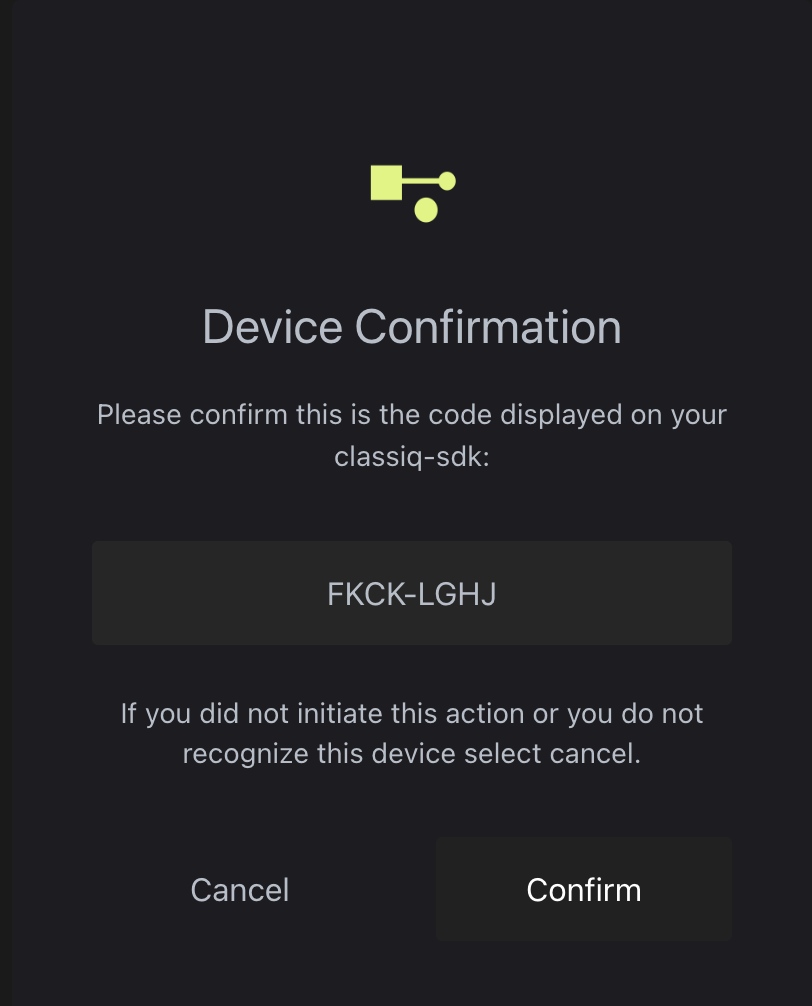 Once you receive the confirmation you are good to go!
If you encounter an issue, look for a solution in the [troubleshooting section](#Python-sdk-installation-troubleshooting) or ask in the [community Slack](https://short.classiq.io/join-slack).
## Platform Version Updates
Every few weeks a new version of the platform launches. The web-based IDE at [platform.classiq.io](https://platform.classiq.io/) automatically updates.
Update the Python SDK package manually with this command:
```bash theme={null}
pip install -U classiq
```
To update the Python SDK for a specific version, run this in the terminal:
```bash theme={null}
pip install classiq=={DESIRED_VERSION}
```
and replace the `DESIRED_VERSION` with the number of your desired version, e.g. `0.40`. You can check what version of Classiq is installed with:
```bash theme={null}
pip show classiq
```
**NOTE**: Only the last three versions of Classiq are supported. For example, if the current version is `0.41`, only versions `0.41`, `0.40`, and `0.39` are supported.
\*Once version `0.52` is released - execution of quantum programs with older SDK versions might result in errors or unexpected behavior. To ensure proper execution, upgrade your SDK to the latest version.
## Python SDK Installation Troubleshooting
Try to use the following command in Python:
```Python theme={null}
import classiq
classiq.authenticate(overwrite=True)
```
The authentication procedure on headless Linux systems stores the tokens locally in a credentials file. While you must still run the authentication once, it can be done on another system with a browser.
On some Apple computers, the following might pop up:
Once you receive the confirmation you are good to go!
If you encounter an issue, look for a solution in the [troubleshooting section](#Python-sdk-installation-troubleshooting) or ask in the [community Slack](https://short.classiq.io/join-slack).
## Platform Version Updates
Every few weeks a new version of the platform launches. The web-based IDE at [platform.classiq.io](https://platform.classiq.io/) automatically updates.
Update the Python SDK package manually with this command:
```bash theme={null}
pip install -U classiq
```
To update the Python SDK for a specific version, run this in the terminal:
```bash theme={null}
pip install classiq=={DESIRED_VERSION}
```
and replace the `DESIRED_VERSION` with the number of your desired version, e.g. `0.40`. You can check what version of Classiq is installed with:
```bash theme={null}
pip show classiq
```
**NOTE**: Only the last three versions of Classiq are supported. For example, if the current version is `0.41`, only versions `0.41`, `0.40`, and `0.39` are supported.
\*Once version `0.52` is released - execution of quantum programs with older SDK versions might result in errors or unexpected behavior. To ensure proper execution, upgrade your SDK to the latest version.
## Python SDK Installation Troubleshooting
Try to use the following command in Python:
```Python theme={null}
import classiq
classiq.authenticate(overwrite=True)
```
The authentication procedure on headless Linux systems stores the tokens locally in a credentials file. While you must still run the authentication once, it can be done on another system with a browser.
On some Apple computers, the following might pop up:
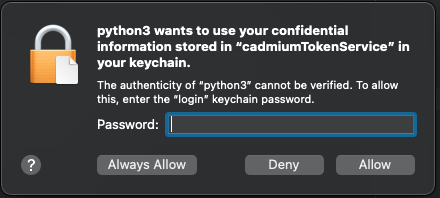 Make sure to type your device password and click `Always Allow` **twice**.
Built with [Mintlify](https://mintlify.com).
Make sure to type your device password and click `Always Allow` **twice**.
Built with [Mintlify](https://mintlify.com).